Skip to content
Remoted
FeaturesGuidesRemoted Link
FeaturesDuoGamepadGuidesRemoted Link
EnglishEN
EnglishEspañol简体中文日本語DeutschFrançaisPortuguês (Brasil)Italiano한국어繁體中文NederlandsРусскийTiếng Việt
App Store

Download Remoted on the App Store

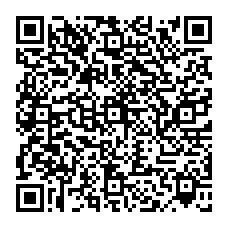
Open Camera on your iPhone or iPad and point it at the code.

Scan QR code
  1. Remoted
  2. Remoted Link for Mac
Remoted Link for Mac

Control your Mac from anywhere

  • Encrypted internet access
  • Device approval and one-time invites
  • Physical or on-screen controllers
  • Desktop that fits your device’s window
Download for Mac See how to set it up
See how to set it up
Copy link

Free download · macOS 26+ · Remoted Complete for connections.

You can pause access from your Mac at any time.

Closing the Link window leaves access on. To pause it, open This Mac and click Pause Access.

Look for Access is paused. Your linked devices can connect again when you click Resume Access.

Remoted Link on a Mac showing a MacBook Pro and a linked iPhone in Devices.
© 2026 RemotedDownload Remoted on the App Store
FeaturesRemoted Link for MacPrivacy policyTerms of useGuidesHow it worksSecurityFAQChangelogContact